

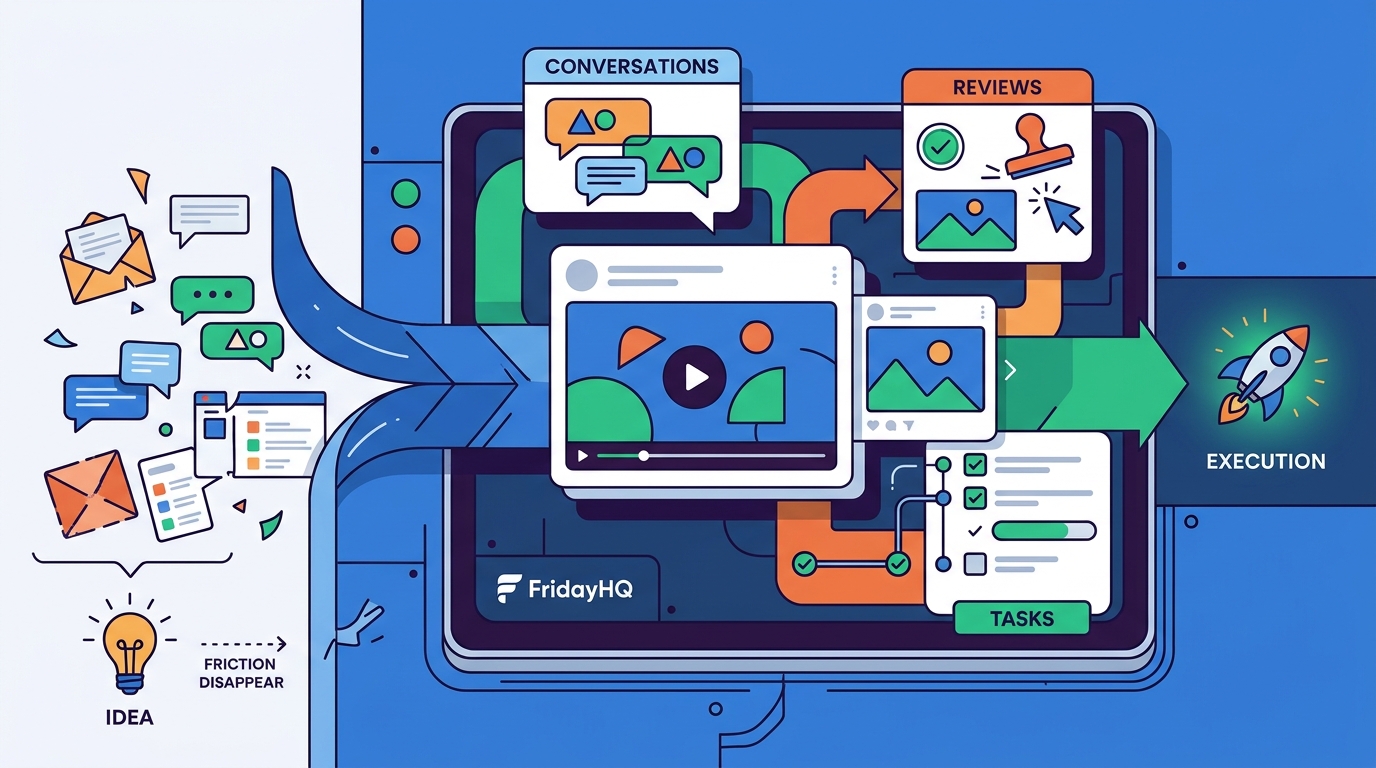
Media teams improve collaboration by centralizing conversations, reviews, and tasks in a single workspace. This approach reduces the friction of switching between disconnected tools. FridayHQ supports this model by connecting people, projects, and content. When the work and the discussion live together, teams move from idea to execution faster.
Centralize Communication Around the Work
Scattered conversations are the primary enemy of creative momentum. When feedback lives in email, chat apps, and video calls, context is lost. Centralized communication is the practice of keeping all project-related discussions attached to the specific content being reviewed. This ensures that every comment, decision, and approval is visible to the entire team.
Research indicates that team social media usage and knowledge sharing significantly impact team creativity. A study published in the Journal of Business and Psychology found that when teams share knowledge effectively, their creative output improves. By keeping discussions inside the workspace, you create a shared memory. This shared context allows new team members to understand the history of a project without asking for updates.
For media teams, this means attaching feedback directly to the video frame or image being discussed. Instead of saying "the second scene needs work," a reviewer can point to the exact moment. This precision reduces back-and-forth and accelerates the approval process. FridayHQ features are designed to keep these conversations connected to the creative assets they affect.
Streamline the Approval Process
Approvals are often the bottleneck in social content production. Stakeholders may be in different time zones or have conflicting schedules. Asynchronous approval is a workflow where reviewers can sign off on work at their own pace, without requiring a live meeting. This removes the scheduling friction that often delays publication.
Consider a scenario where a Los Angeles producer finishes a cut just as an editor in another time zone begins their day. If the approval process requires a live call, the project stalls. However, if the producer can review the cut, leave specific notes, and request changes asynchronously, the work continues. The editor sees the notes immediately upon logging in. This continuous flow keeps the project moving 24/7.
Clear approval states are essential. Teams should use distinct statuses, such as "In Review," "Approved," or "Changes Requested." This visual clarity helps everyone understand where the project stands. Creative workflow management tools allow teams to define these stages and track progress without constant status updates.
Define Clear Ownership and Tasks
Collaboration fails when it is unclear who is responsible for the next step. Task ownership is the explicit assignment of a specific action to a specific person with a defined deadline. Without clear ownership, tasks fall through the cracks. This is particularly common in creative teams where work is often collaborative and fluid.
When a piece of feedback is received, it should immediately become a task. For example, if a client requests a new thumbnail, that request is converted into a task assigned to the designer. The task includes the deadline, the linked content, and the specific instructions. This transforms vague feedback into actionable work. The team can see exactly who is doing what and when it is due.
Using a calendar view helps visualize these tasks alongside scheduled content. This ensures that production deadlines align with publication dates. Tasks and ownership features in modern platforms help teams maintain this clarity. When everyone knows their role, the team operates with greater efficiency and less stress.
Leverage AI for Operational Support
Modern media teams face an overwhelming volume of information. AI operations support is the use of artificial intelligence to assist with routine operational tasks, such as summarizing feedback or identifying bottlenecks. This allows humans to focus on creative decision-making rather than administrative overhead.
For instance, an AI assistant can review a project and summarize the key changes requested by stakeholders. It can also check if a new version of a video addresses previous feedback. This capability reduces the cognitive load on producers and managers. They can ask, "What is holding up the launch?" and receive a data-driven answer based on the project's current state.
Integrating AI into the workflow does not replace human creativity. Instead, it handles the operational burden. Xander, the AI operations partner in FridayHQ, works within the project context to help teams find answers and keep work moving. This partnership between human creativity and AI efficiency is becoming a standard for high-performing media teams.
Unify Your Tool Stack
Using multiple disconnected tools creates friction. Teams often switch between a chat app, a project management tool, a file storage service, and a video review platform. Tool unification is the consolidation of these functions into a single platform. This reduces the time spent navigating between applications and ensures that data is consistent across the team.
Every additional tool adds a subscription cost and a learning curve. More importantly, it fragments the team's attention. When all functions are in one place, the context stays with the work. The conversation, the file, and the task are linked. This holistic view allows teams to see the big picture and make better decisions.
By consolidating tools, teams can save time and money. FridayHQ pricing reflects this value proposition, offering a unified workspace that replaces multiple subscriptions. The result is a lighter operation with more room for creative work.
Key Takeaways
- Centralize all project conversations to maintain context and reduce information loss.
- Implement asynchronous approval workflows to overcome time zone differences and scheduling conflicts.
- Assign clear ownership to every task to ensure accountability and progress.
- Use AI tools to handle operational burdens, allowing humans to focus on creativity.
- Consolidate your tool stack into a single platform to reduce friction and cost.
- Visualize project progress with clear status tags and calendar views.
Frequently Asked Questions
Why is centralized communication important for media teams?
Centralized communication keeps feedback and decisions attached to the specific content being reviewed. This ensures that context is not lost when switching between different apps.
How can teams handle approvals across different time zones?
Teams should use asynchronous approval workflows. This allows stakeholders to review and sign off on work at their own pace, without requiring live meetings.
What is the role of AI in media team collaboration?
AI assists with operational tasks such as summarizing feedback and identifying bottlenecks. This reduces administrative overhead and allows the team to focus on creative work.
How does tool unification benefit a creative team?
Tool unification reduces the time spent switching between applications. It also ensures that data is consistent and that the context stays with the work.
What is the best way to track task ownership?
Assign every task to a specific person with a defined deadline. Use a calendar view to visualize these tasks alongside scheduled content to ensure alignment.
Conclusion
Improving collaboration in media teams requires a shift from disconnected tools to a unified workspace. By centralizing communication, streamlining approvals, and leveraging AI, teams can reduce friction and increase creative output. FridayHQ provides the infrastructure for this shift, bringing people, projects, and content together. To see how this works in practice, book a demo and explore how your team can move from idea to execution with less overhead.